Procuring hardware for a corporate fleet or designing a new product line is fraught with hidden complexities. The global shift toward the home office and hybrid work models has triggered an unprecedented demand for reliable connectivity. However, the market is currently flooded with consumer-grade products masquerading as enterprise solutions.
For product managers, IT directors, and procurement executives, the challenge goes far beyond simply counting ports. This guide bypasses retail marketing fluff to expose the critical supply chain and manufacturing realities behind high-performance docking stations. By understanding the underlying chipsets, thermal architectures, and OEM/ODM strategies, you can prevent costly deployment failures and build hardware that actually performs.
Breaking the Tech Barrier: The Chipset Information Gap
The most expensive mistake a procurement manager can make is treating every hub and dock as identical. The physical exterior tells you nothing about the internal data routing.
DisplayLink vs. DP Alt Mode vs. MST
When you connect your laptop to an external display, the internal protocol dictates the outcome. Many buyers purchase massive batches of hardware only to discover their workforce cannot achieve true independent dual displays.
If your fleet relies heavily on Apple silicon, purchasing a standard Multi-Stream Transport (MST) dock will result in mirrored screens rather than extended desktops. MacOS natively lacks MST support. To bypass this, you need a universal laptop docking station equipped with DisplayLink chipsets. This technology compresses video data over standard USB protocols, bypassing native GPU limitations and providing a consistent experience across all major operating systems.
Conversely, for high-framerate environments or Windows-heavy fleets, hardware utilizing DisplayPort Alternate Mode (DP Alt Mode) offers native GPU passthrough without CPU overhead. Understanding these distinct video outputs ensures you match the precise chipset to your client's or employee's specific needs.
The True Difference Between a Hub and a Dock
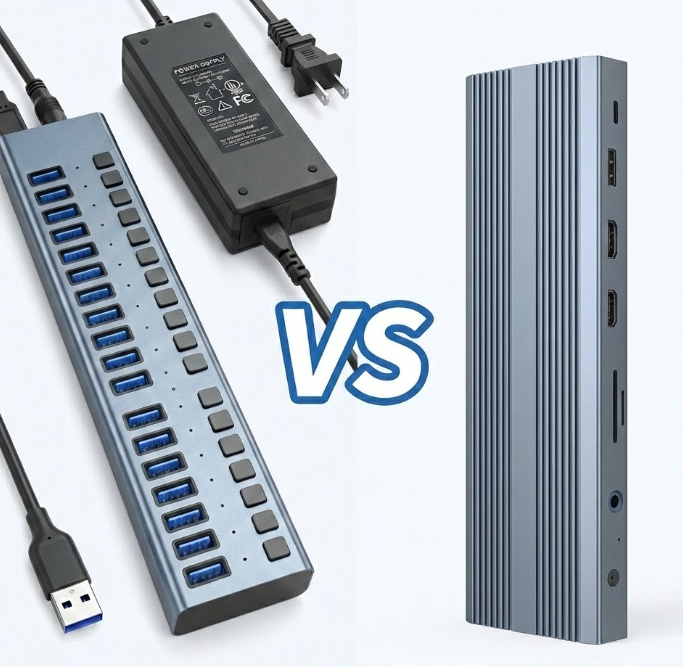
Why does a cheap usb hub fail when an enterprise universal dock station thrives? The answer lies in the PCBA (Printed Circuit Board Assembly) layer and power allocation. A basic hub splits existing host bandwidth reactively. A true hardware dock actively manages lanes using dedicated controllers for PCIe, USB, and display data. When users demand uninterrupted multi monitor setups alongside gigabit network access, only an active controller can prevent peripheral disconnects.
Consumer vs. Enterprise: The Procurement Trap
Retail hardware is engineered for light, intermittent use. Enterprise hardware must survive 12-hour continuous shifts. Relying on consumer specifications for B2B deployments often leads to catastrophic failure rates.
The Power Delivery Illusion
One of the most common traps in wholesale purchasing involves phantom power delivery (PD). A supplier might advertise a 100W PD rating. However, poorly engineered circuitry will bleed 15W to 20W to power the dock itself, leaving insufficient wattage to keep the host machine charged. When a user connects a heavy-draw peripheral and initiates a dual monitor workflow, the laptop battery drains despite being plugged in.
True enterprise-grade usb c docks implement strict power reservation protocols. They negotiate power contracts dynamically, ensuring the host machine receives a guaranteed wattage floor even when every peripheral slot is occupied.
Thermal Architecture and Longevity
Heat is the enemy of data integrity. Standard consumer units often utilize cheap extruded aluminum shells or plastic chassis. Under heavy load—such as transferring large files while driving dual 4K displays—the internal temperature spikes, leading to thermal throttling and dropped connections.
When sourcing a reliable computer docking station or usb docking station, you must evaluate the thermal dissipation design. Premium OEM solutions utilize die-cast aluminum enclosures with internal thermal pads physically bridging the hottest chipsets (like the network controller and display ICs) directly to the metal casing. This passive cooling strategy is non-negotiable for serious laptop docking environments.
Designing the Ultimate Hub: OEM/ODM Strategies
If you are a brand owner or product manager looking to create a proprietary usb c laptop docking station, off-the-shelf public molds will not provide a competitive moat. You need strategic interface portfolios tailored to specific user personas.
Interface Portfolio Strategy
Do not blindly add ports just to inflate the spec sheet. Build for the specific workflow:
∙ The Creative Professional: Requires an SD 4.0 card reader, dual hdmi ports (or DisplayPort), and high-bandwidth usb ports (10Gbps) for external NVMe storage.
∙ The Enterprise IT Standard: Demands a physical ethernet port for PXE boot and MAC address pass-through, alongside robust legacy USB-A support for existing office peripherals.
Choosing a manufacturing partner like PURPLELEC means gaining access to highly optimized, pre-validated PCBA layouts. Whether you need a simple dual-display solution or a Thunderbolt-certified flagship, collaborating directly with the source manufacturer allows you to manipulate these output options without bearing the immense cost of ground-up R&D.
The IT Deployment Checklist for Efficient Workstations
For those tasked with overhauling corporate workspaces, the goal is invisible technology. Employees should be able to sit down and instantly access their entire digital environment.
Before issuing a purchase order, verify these critical deployment factors:
1. Cable Consistency: Does the included host cable meet the necessary USB 3.2 Gen 2 or Thunderbolt standards to handle the maximum advertised bandwidth?
2. Display Matrix: Does the hardware explicitly support dual 4K displays at 60Hz simultaneously, or does the refresh rate plummet to 30Hz when the second monitor is connected?
3. Security Protocols: For financial or government deployments, does the dock lack integrated storage to prevent data exfiltration?
By looking past the marketing jargon and examining the silicon, thermal mass, and power architecture, you protect your investment and drastically reduce IT support tickets.
Partnering with a dedicated OEM/ODM manufacturer like PURPLELEC ensures your hardware is purpose-built for the rigors of modern enterprise. Stop compromising on consumer-grade connectivity. Design, procure, and deploy hardware that truly powers productivity.